How to assign points for linear scale question?
This is a common question from people who measure something on a scale in Google Forms. For example, you might measure pain from 0 to 10, where each answer is worth its own points and some answers need more weight than others. Google Forms records the number that was selected, but it cannot assign weights to the answers or calculate a score in the form. With Formfacade, you can assign the standard points or assign weights for each answer and calculate the score. The person filling the form will see the score before they submit. Even better, the responses will be collected on your Google Forms, so you can sync the scores to Google Sheets and share them with your team.
Let's start. Create your form and follow the steps below.
How to assign points and calculate scores using Formfacade?
- On the page that opens, name your form, click Create form and click Proceed.
- You will land on the form's "Edit" tab. The "Assign points" dialog opens about 15 seconds later, so wait for it.

- It asks "How do you want to set up scoring?". Select "Assign points manually" and click Proceed.
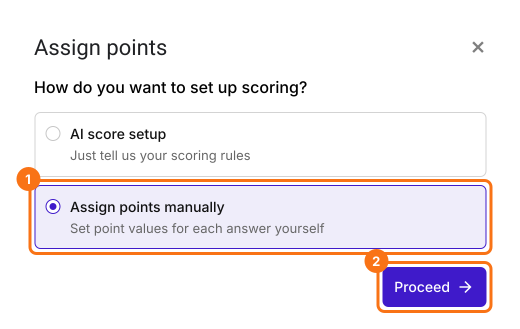
- Pick Multiple choice as the question type to score, assign points to its choices and click Next. The same points go to every multiple choice question in your form.

- It asks "How do you want to show the score?", with both options ticked. Click Next.
- You're all set message will be displayed. Click the × to go back to the "Edit" tab.
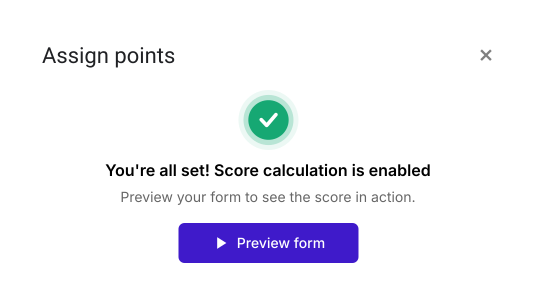
Your form now has a Score question and the same points on every multiple choice question. The steps below give each question its own points.
Let's change this form into the P4 questionnaire to measure the pain intensity. The P4 consists of 4 items that address pain intensity in the morning, afternoon, evening and with activity over the past 2 days. Each item is scored on an 11-point numeric scale.
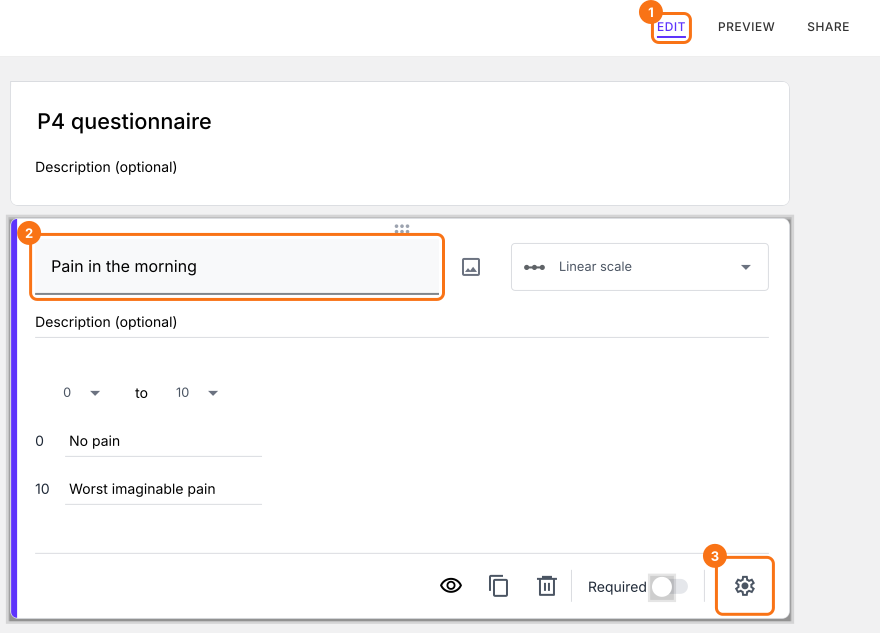
We will use a linear scale question that starts from 0 and ends on 10. The end points of the linear scales can be named to provide a reference for the users. 0 = No pain, 10 = Worst imaginable pain
- Click on a question and change it to Linear scale in the list of question types. Set it from 0 to 10 and enter No pain and Worst imaginable pain as the two labels. Do this for all the 4 items and delete the questions you do not need.
- In the Edit page, click on the linear scale question, then click on the gear icon.
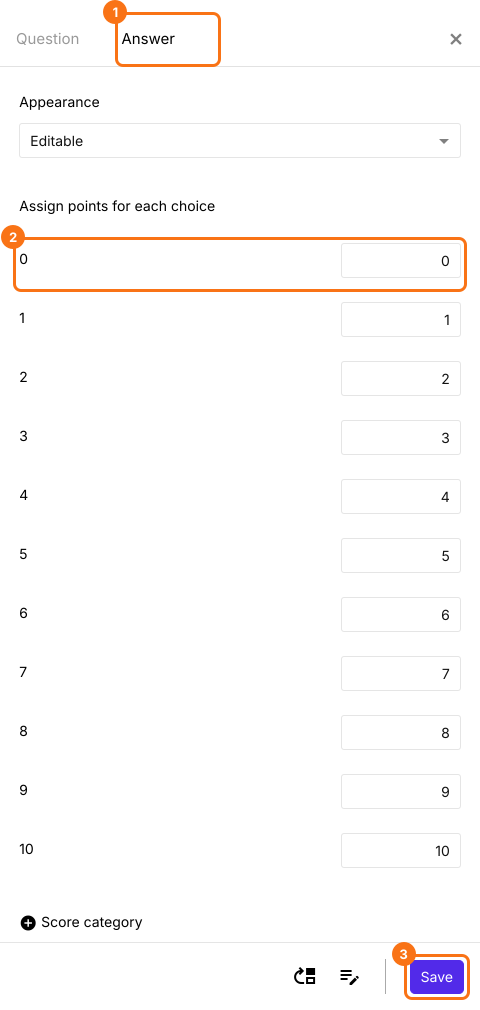
- Question settings page will be displayed. Click Answer. Assign points for the different answer choices and click Save. Do this for all the 4 items.
Click on "Share" tab, copy the link and open it to fill the form. The Score changes as you answer. When you submit, you will see "Your total score is" followed by your score.
Summary
If you want a score from your linear scale questions, Google Forms cannot calculate it in the form. With Formfacade, you assign the standard points or weights for each answer and the score is calculated when a user fills the form. Create your form and complete the steps above.
Last updated: