How to automatically send email notifications in Google Forms?
This is a common question from Google Forms users who want people to get an email after they fill the form. Google Forms can send them a copy of their response, but you cannot change what the email says, so there is no room for a thank you or for what happens next. With Formfacade, you can write your own message and your users receive it when they submit the form. They will see your words and what they can expect next, not only a copy of their answers. Even better, the form will have your own branding instead of Google's and the responses will be collected on your Google Forms.
Let's start. Open your form in Google Forms and turn on the copy using the steps below. To write your own message, create your form with Formfacade.
How to send a copy of the response in Google Forms?
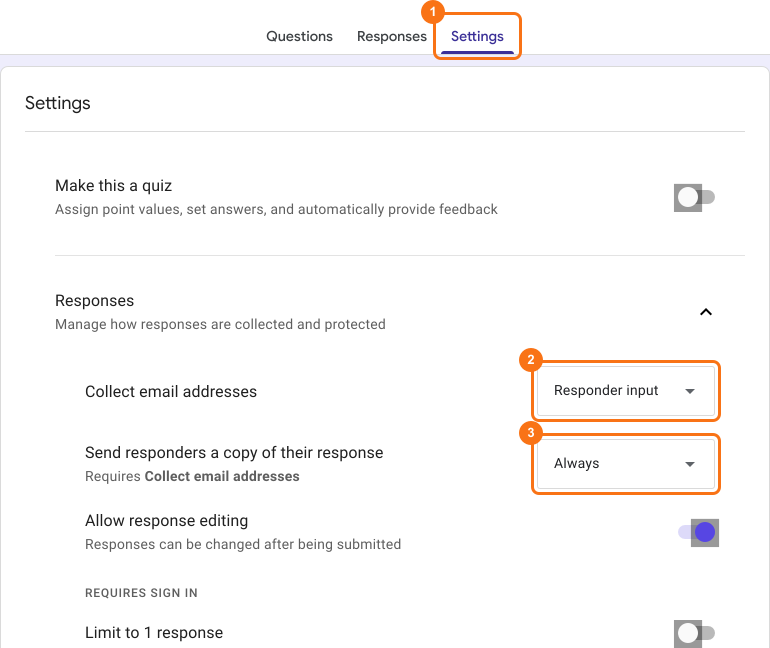
- Open your Google Forms
- Click on Settings
- Open Responses with its arrow
- Set Collect email addresses to Responder input
- Set Send responders a copy of their response to Always
Limitations in using response receipts in Google Forms
- You cannot customize the notification email sent to form respondents. It only includes a copy of the response submitted by them.
- Email address will be the first field in the form if Send responders a copy of their response is enabled. This is not ideal for a lot of use cases.
Alternatives: Use Formfacade
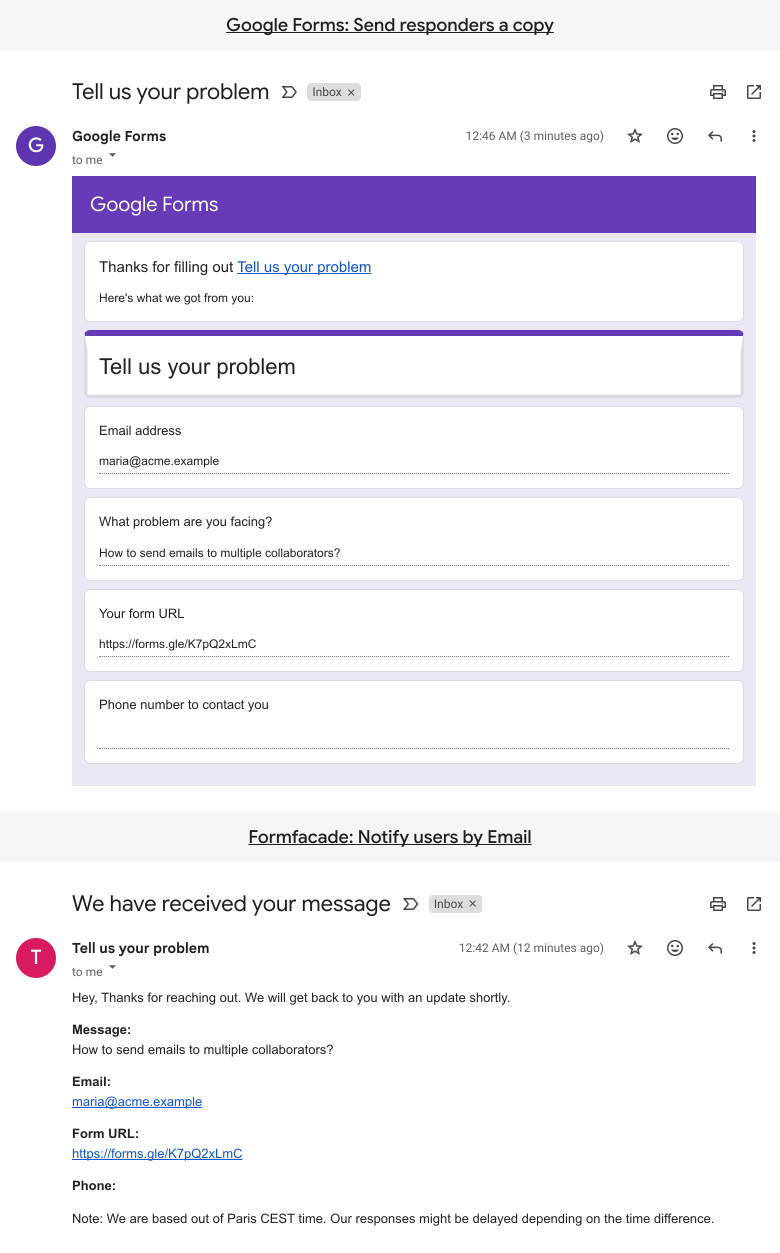
In the image below, the screenshot at the top is that of a response receipt sent by Google Forms. It shows the four fields in the form along with the respective answers. The screenshot at the bottom is that of a confirmation email sent by Formfacade. It has a custom message to add more context and what users can expect.
To learn how to send customized confirmation messages using Formfacade, click here.
Summary
If you want to send an email automatically, Google Forms can send a copy of the response, but you cannot customize it. With Formfacade, you write your own message and your users receive it when they submit the form. Create your form and write your own message.
Last updated: