How to view and download uploaded files?
"rename files uploaded in a google form & move them in a unique folder"- Google Docs Editors Community
This is a common question from Google Workspace users once files start coming in. For example, your application form asks for each person's name and CV and you need to find one person's CV without opening every file. In Google Forms, uploaded files are links in a list, with no names you can sort by. Renaming them and sorting them into folders by hand takes hours and a script is one more thing to look after. With Formfacade, the url of the uploaded file is recorded as a response in the RESPONSES tab and the linked Google Sheets. The files are hosted on our servers. You can access the uploaded files using that link. Even better, each link sits in the same row as that person's name, so you can sort your Sheet and open the one you want.
Let's start. Create your form and follow the steps below.
How to add a response with a file?
- On the page that opens, name your form, click Create form and click Proceed.
- Once you create the form, you will land on the form's "Edit" tab. If it asks "Do you want to preview this form?", click No.
- Click on "Share" tab

- Click Copy and open the link
- Fill the form, click Add file and add your file. Click Done and click Submit.
Formfacade RESPONSES tab
- Click on "Responses" tab

- Select Kanban board
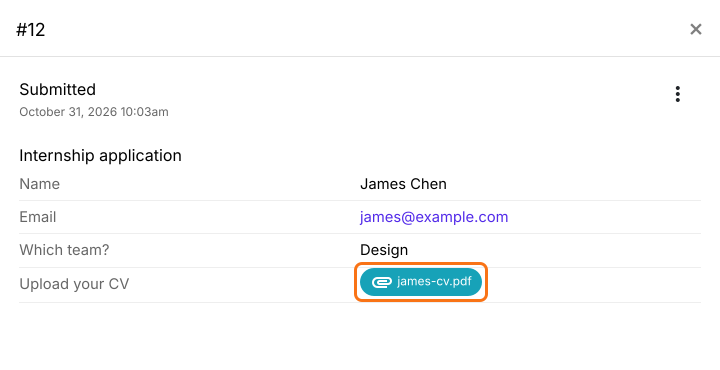
- Click on the response in Submitted
- Click on the link to view the file. It opens in your browser, where you can download it.
Google Sheets
- In the RESPONSES tab, select Google Sheets
- Click Link to Sheets and click Proceed
- Click View sheets

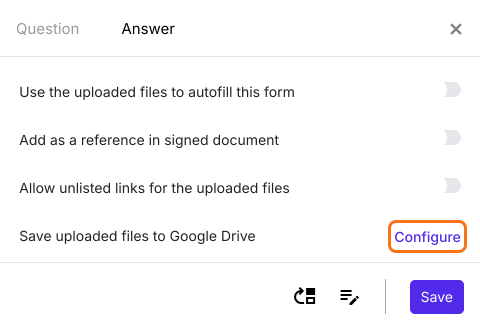
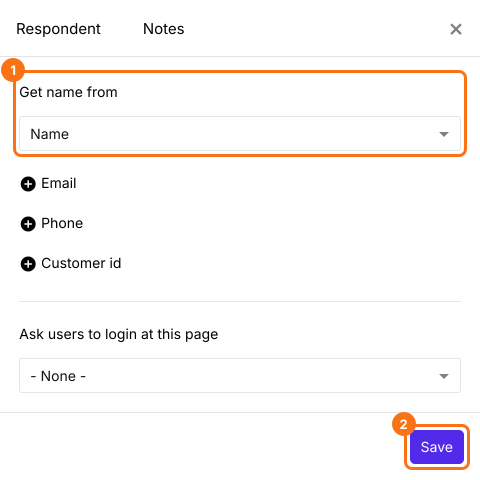
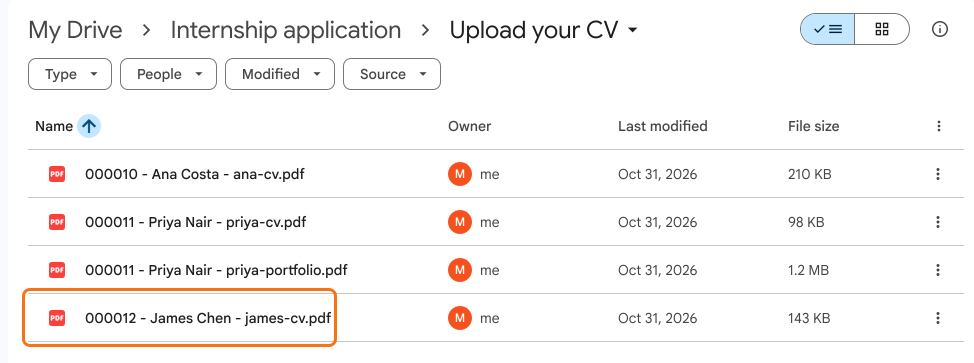
Save uploaded files to Google Drive

Summary
Last updated: