We would love to hear from you on how we can improve your experience!
Frequently asked questions from our users
You can use the Peergateway addon to enable PayPal payments in your google form.
Read the full article →You can use the Peergateway addon to enable Venmo payments in your google form.
Read the full article →You can use the Peergateway addon to enable Cash App payments in your google form.
Read the full article →You can use the Peergateway addon to enable PayNow payments in your google form.
Read the full article →You can use the Peergateway addon to enable UPI payments in your google form and allow users to make payments using GPay, PhonePe, Paytm & other UPI apps.
Read the full article →Login to Neartail > click on the form to open it > Edit page will be displayed > In the Neartail Edit page, scroll down to the payments section > click Enable > Payments settings page will be displayed > click Enable > Yoco payment option will be listed under Automated payments > click on the toggle button to enable Yoco payments > enter the public and secret key and click Save. 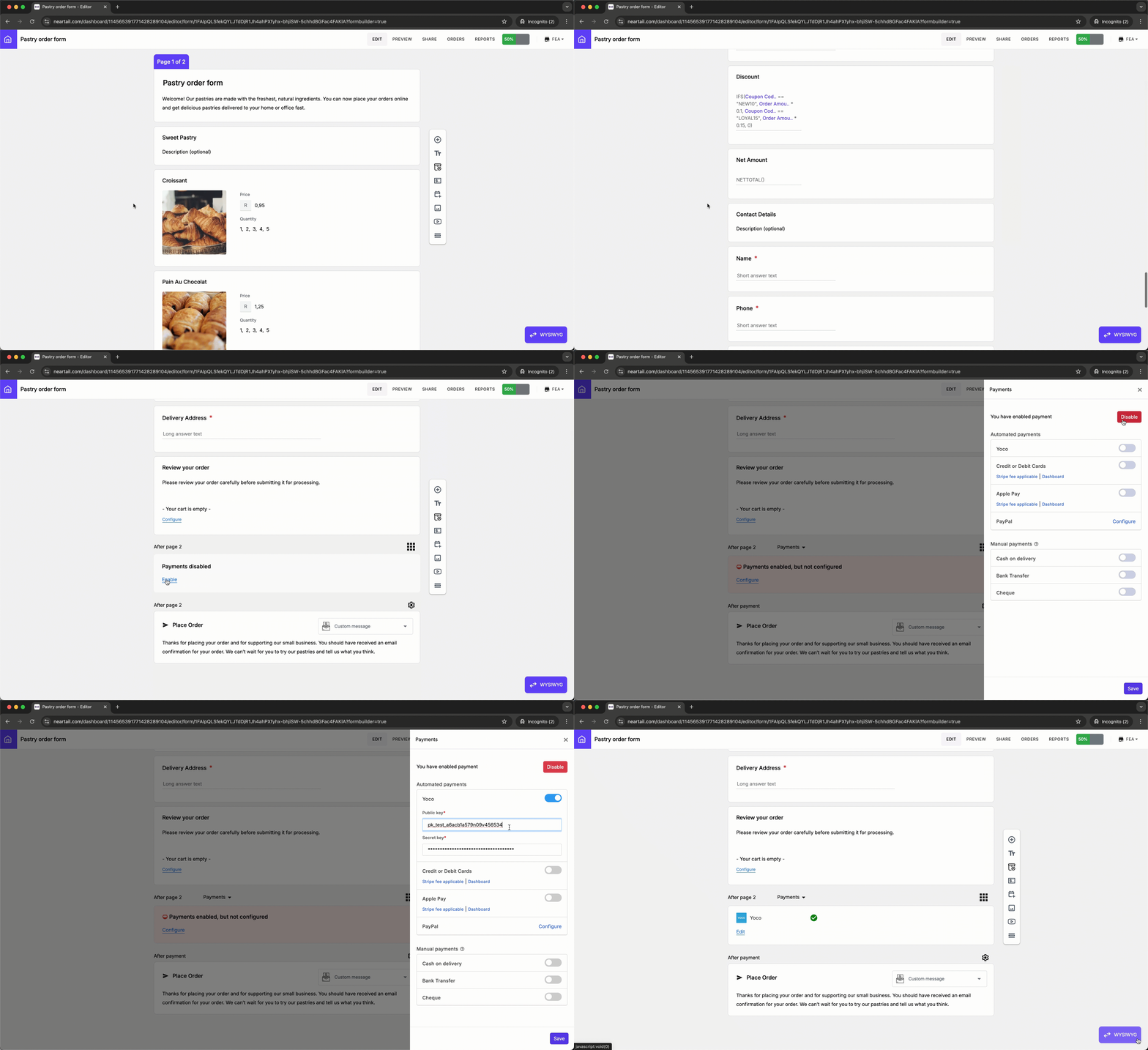
Read the full article →