How to automatically fill today's date in the form?
This is a common question from Google Forms users who need a date on every response. For example, if your leave request form asks people to fill in today's date, some of them will skip it or type the wrong date and you have to check each request by hand. Google Forms records a timestamp with each response, but a date question always starts empty and it has no way to fill in the current date by itself. With Formfacade, you can use the TODAY function and your users will see today's date already filled in. Even better, the date is collected on your Google Forms with the rest of the request, so your team can see it in Google Sheets.
Let's start. Create your form and follow the steps below.
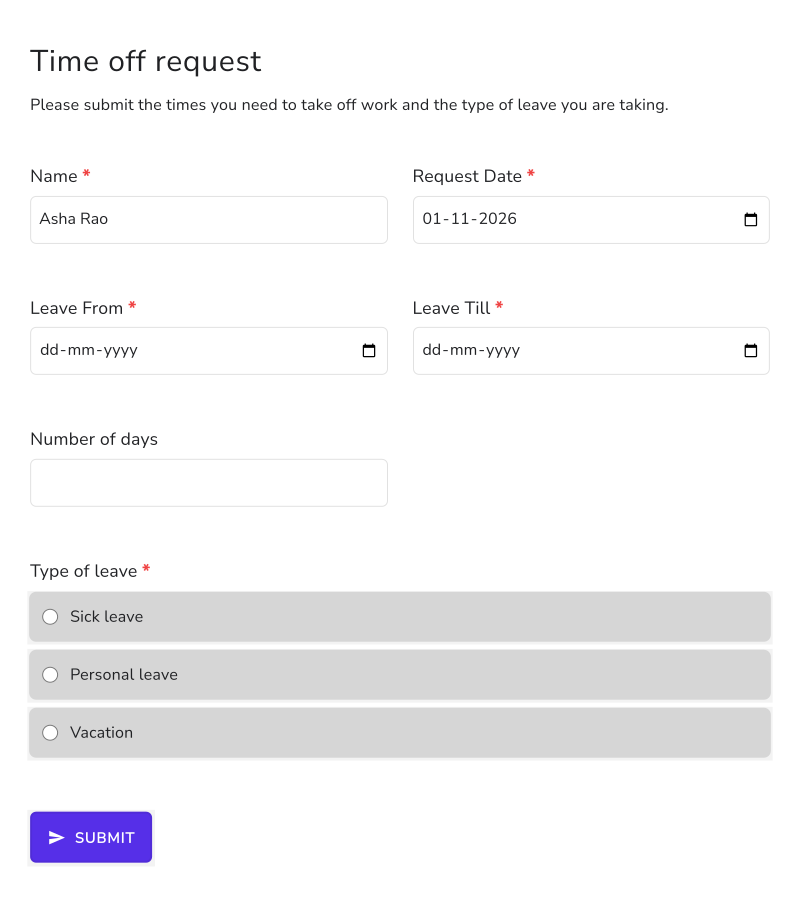
Let's take the example of a leave request form. Instead of asking the user to fill the request date, we can automatically update today's date in the request date question.
How to fill the request date automatically?
- On the page that opens, name your form, click Build form and click Proceed. It can take about a minute.
- You will land on the form's "Preview" tab.
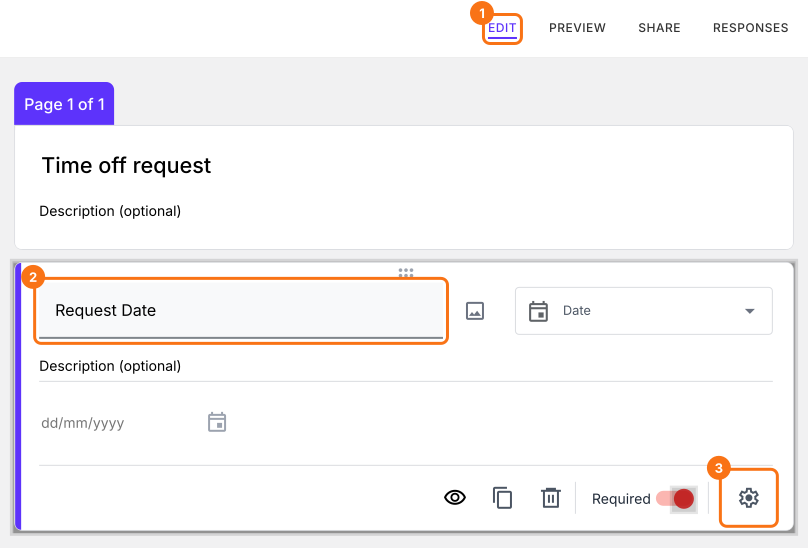
- Click on "Edit" tab

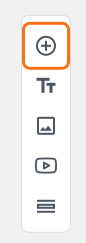
- Click on the + icon (Add field) in the toolbar on the right. A new question will be added.
- Enter "Request Date" as the question and select Date in the question type list
Click on the ⚙️ icon at the bottom right of the question.
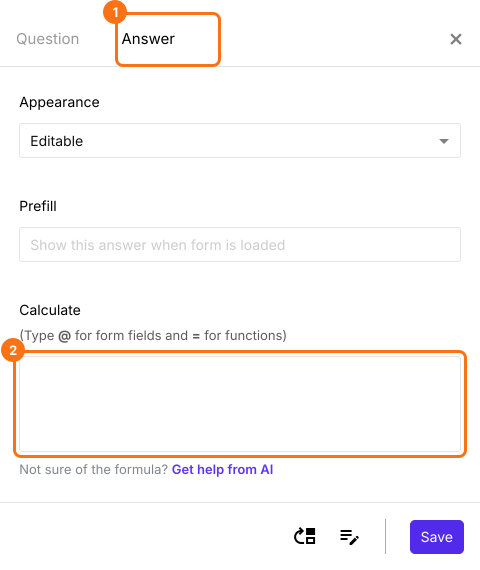
Field settings screen will be displayed. Select the "Answer" tab and write the formula to update the current date.
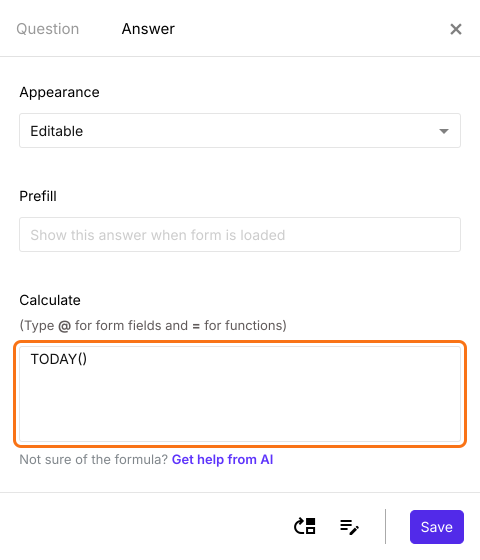
Write the TODAY() formula in the Calculate option as shown below. Click Save.
When the form opens, the request date already shows today's date. Your users cannot change it, because a question with a formula turns read only by itself.
Summary
If you want today's date in your form, a date question in Google Forms will not fill it by itself. With Formfacade, you can write the TODAY() formula in the Calculate option and the request date will be updated automatically. Create your form and complete the steps above.
Last updated: