Number
This is a common question from Google Forms users who ask for an age, a quantity or a score. People can type anything into a short answer question, such as ten instead of 10 or a number that is out of range. You only find this when you read the responses and then you have to go back and ask them again. Google Forms has no number question, so you need a validation on a short answer and that option is easy to miss. With Formfacade, you can use a short answer question with Number validation and your users can only enter numbers. Even better, you can set the range of numbers you will accept.
Let's start. Create your form and follow the steps below.
You can use short answer question with Number validation to accept numbers as answers. You can use the following number validations with short answer question.
- On the page that opens, name your form, click Build form and click Proceed. It can take about a minute.
- You will land on the form's "Preview" tab.
- Click on "Edit" tab

Is number
- Click on the + icon (Add field) in the toolbar on the right and enter your question
- A new Short answer question will be added
- Enable Required toggle button to make this a mandatory question (if required)
- Click on the ⚙️ icon at the bottom right of the question, select the "Answer" tab and click Configure under Validation
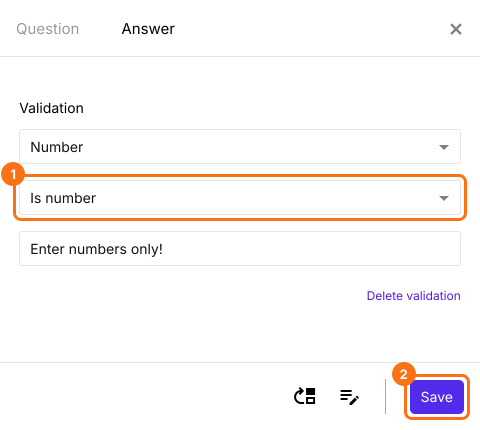
- Select Number
- Select Is number
- Enter a custom error message (if required)
- Click Save
Whole number
- Click on the + icon (Add field) in the toolbar on the right
- A new Short answer question will be added
- Enable Required toggle button to make this a mandatory question (if required)
- Click on the ⚙️ icon at the bottom right of the question, select the "Answer" tab and click Configure under Validation
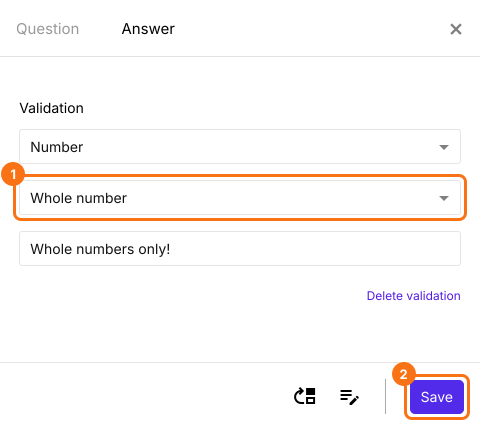
- Select Number
- Select Whole number
- Enter a custom error message (if required)
- Click Save
Between
- Click on the + icon (Add field) in the toolbar on the right
- A new Short answer question will be added
- Enable Required toggle button to make this a mandatory question (if required)
- Click on the ⚙️ icon at the bottom right of the question, select the "Answer" tab and click Configure under Validation
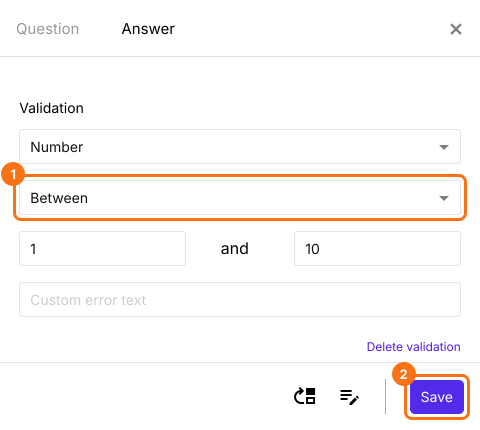
- Select Number
- Select Between
- Enter the boundary numbers to be checked with
- Enter a custom error message (if required)
- Click Save
Not between
- Click on the + icon (Add field) in the toolbar on the right
- A new Short answer question will be added
- Enable Required toggle button to make this a mandatory question (if required)
- Click on the ⚙️ icon at the bottom right of the question, select the "Answer" tab and click Configure under Validation
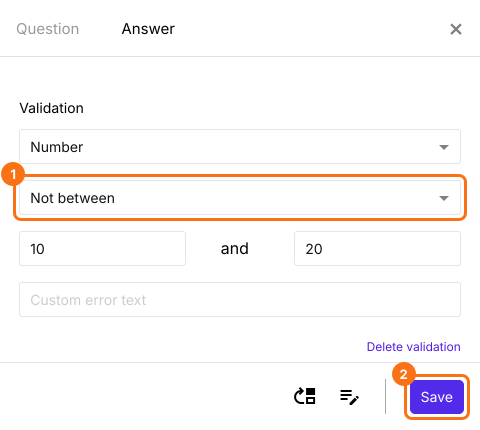
- Select Number
- Select Not between
- Enter the boundary numbers to be checked with
- Enter a custom error message (if required)
- Click Save
Equal to
- Click on the + icon (Add field) in the toolbar on the right
- A new Short answer question will be added
- Enable Required toggle button to make this a mandatory question (if required)
- Click on the ⚙️ icon at the bottom right of the question, select the "Answer" tab and click Configure under Validation
- Select Number
- Select Equal to
- Enter the number to be checked with
- Enter a custom error message (if required)
- Click Save
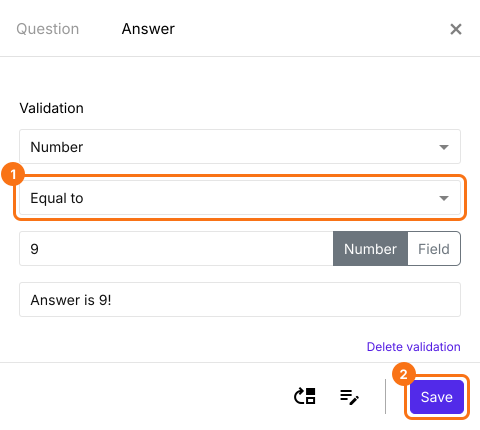
Not equal to
- Click on the + icon (Add field) in the toolbar on the right
- A new Short answer question will be added
- Enable Required toggle button to make this a mandatory question (if required)
- Click on the ⚙️ icon at the bottom right of the question, select the "Answer" tab and click Configure under Validation
- Select Number
- Select Not equal to
- Enter the number to be checked with
- Enter a custom error message (if required)
- Click Save
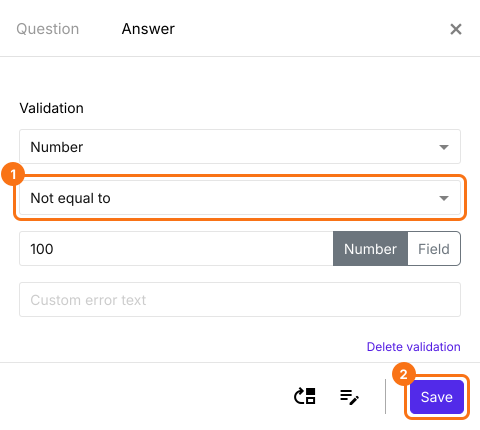
Less than
- Click on the + icon (Add field) in the toolbar on the right
- A new Short answer question will be added
- Enable Required toggle button to make this a mandatory question (if required)
- Click on the ⚙️ icon at the bottom right of the question, select the "Answer" tab and click Configure under Validation
- Select Number
- Select Less than
- Enter the number to be checked with
- Enter a custom error message (if required)
- Click Save
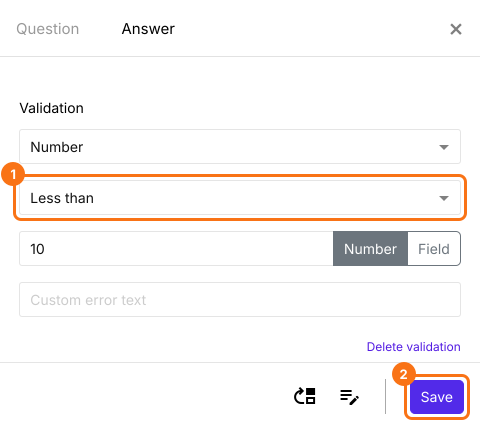
Less than or equal to
- Click on the + icon (Add field) in the toolbar on the right
- A new Short answer question will be added
- Enable Required toggle button to make this a mandatory question (if required)
- Click on the ⚙️ icon at the bottom right of the question, select the "Answer" tab and click Configure under Validation
- Select Number
- Select Less than or equal to
- Enter the number to be checked with
- Enter a custom error message (if required)
- Click Save
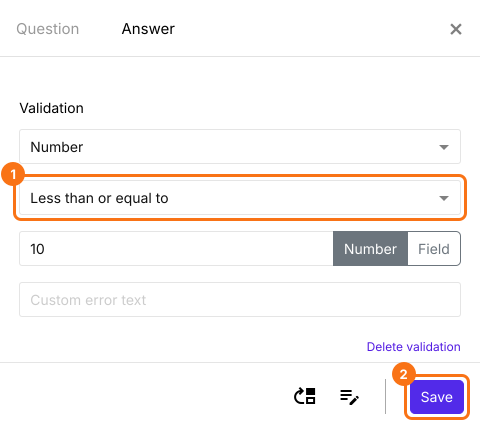
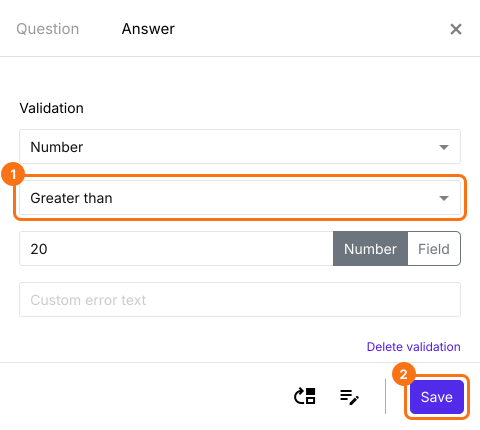
Greater than
- Click on the + icon (Add field) in the toolbar on the right
- A new Short answer question will be added
- Enable Required toggle button to make this a mandatory question (if required)
- Click on the ⚙️ icon at the bottom right of the question, select the "Answer" tab and click Configure under Validation
- Select Number
- Select Greater than
- Enter the number to be checked with
- Enter a custom error message (if required)
- Click Save
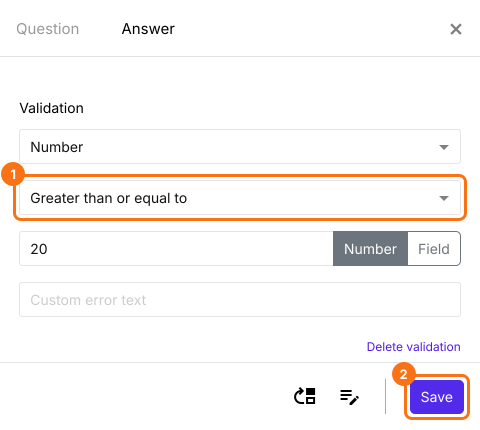
Greater than or equal to
- Click on the + icon (Add field) in the toolbar on the right
- A new Short answer question will be added
- Enable Required toggle button to make this a mandatory question (if required)
- Click on the ⚙️ icon at the bottom right of the question, select the "Answer" tab and click Configure under Validation
- Select Number
- Select Greater than or equal to
- Enter the number to be checked with
- Enter a custom error message (if required)
- Click Save
Summary
If you need a number from your users, a short answer question will accept any text. With Number validation on a short answer question in Formfacade, you can accept only numbers and you can set the range of numbers you will accept. Create your form and complete the steps above.
Last updated: