How to stop notification emails configured in Formfacade - Email notification?
This is a common question from Formfacade users whose form has closed or whose team has changed. The emails keep going out for every response. A filter in your own inbox only hides them and your users still receive theirs. You can stop these emails by deleting the notification. Please follow the instructions below.
How to stop the emails?
- In your form's dashboard, click on "Responses" tab

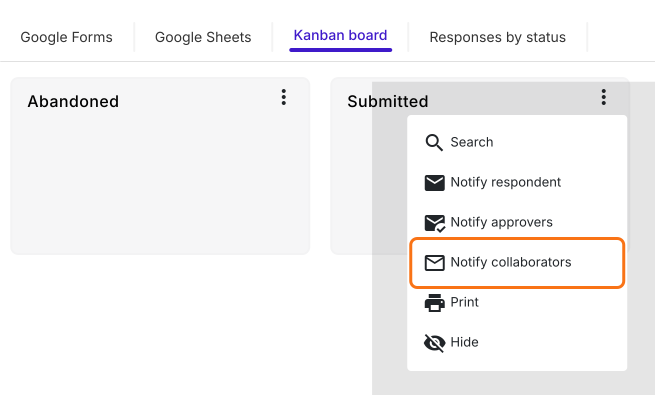
- Click Kanban board
- Click on the three dots ⋮ on Submitted
- Click Notify collaborators or Notify respondent, whichever you have set up
- Click the red Delete button
- It asks if you are sure you want to delete this notification. Click Yes.
The notification has been removed from your form. The next response will not send this email.
Summary
If you no longer want notification emails for a form, a filter in your inbox does not stop them. With Formfacade, you open the notification again and delete it and the emails stop. If you have any questions, write to support.
Last updated: