How to pre-fill answers in the form?
This is a common question from Google Forms users who already know some of the answers. For example, you have a customer's name or email address and asking them to type it again is a waste of their time and typing mistakes creep in. Google Forms lets you make a prefilled link, but you make it one at a time and it opens on Google's page. With Formfacade, you can create a prefill link from the Share tab. When someone clicks on the link, the form opens with your answers already filled in. Even better, the form will have your own branding instead of Google's and you can send bulk emails with a prefilled link for each person.
Let's start. Create your form and follow the steps below.
How to create a prefill link?
- On the page that opens, name your form, click Embed form and click Proceed. It can take about a minute.
- You will land on the form's "Share" tab, on Embed. The top bar may say "Blank Formfacade form" until you reload the page.

- Click Create prefill links under More options
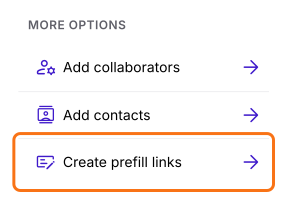
- Prefill links page will be displayed
- Click + Create new prefill
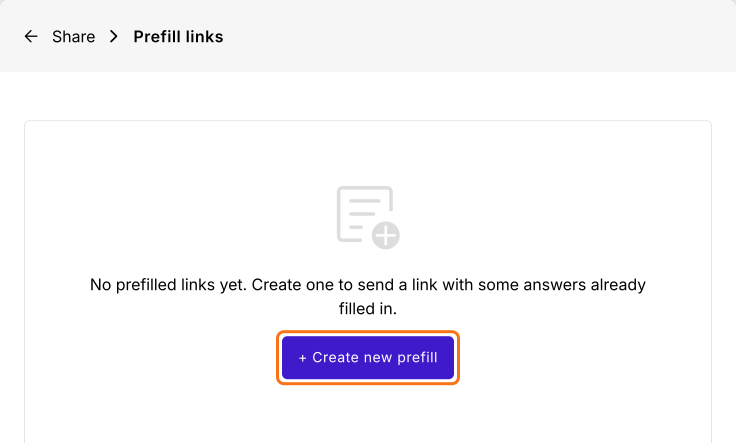
- Enter the unique name for the link
- Enter answers for the questions to be pre-filled
- Click Create prefill link. The dialog's note says that email and name are replaced by the contact's details when an email is sent. On this link, they stay as you typed them.
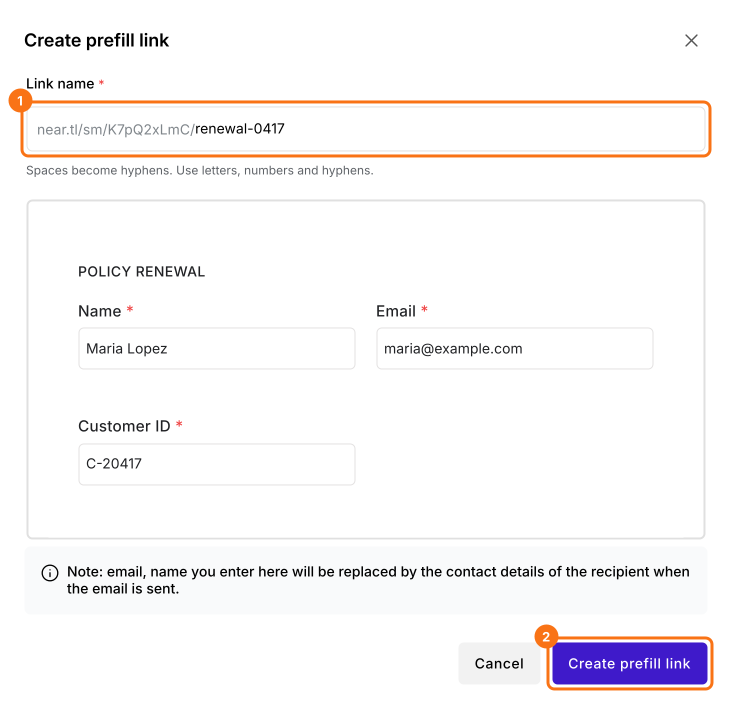
- Click Copy link to copy the pre-fill url
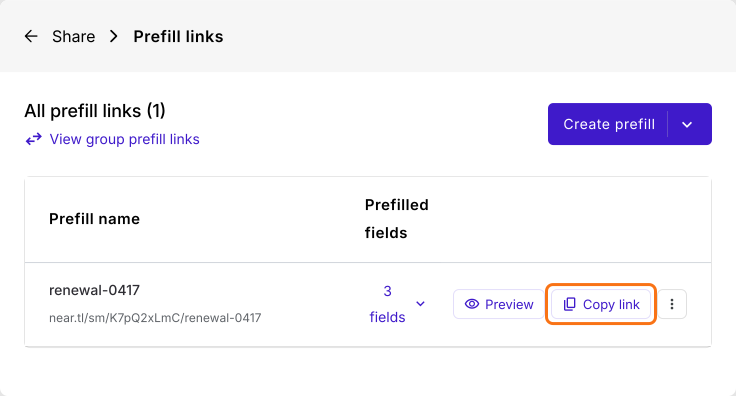
When someone clicks on the link, the form opens with your answers already filled in.
Instead of manually generating the pre-fill url for all users, you can send bulk emails with a prefilled link for each of them.
Summary
If you already know some of the answers, a blank form makes people type them again. With Formfacade, you click on Share tab, click Create prefill links, enter the answers and copy the link and you can send bulk emails if you need a link for each user. Create your form and complete the steps above.
Last updated: