How to calculate the age based on date of birth entered by the user?
This is a common question from Google Forms users who ask for a date of birth. For example, a membership or a school admission often needs the age as well. Google Forms can collect the date, but it cannot work out the age. Asking for both means people can enter an age that does not match, so you end up checking it in a sheet afterwards. With Formfacade, you can use the DIFF function to calculate the age and your users will see it as soon as they enter their date of birth. Even better, the age is saved with the response, so it is already there when you sync to Google Sheets.
Let's start. Create your form and follow the steps below.
Instructions to calculate age
- On the page that opens, name your form, click Build form and click Proceed. It can take about a minute.
- You will land on the form's "Preview" tab.
- Click on "Edit" tab

- Click on the + icon (Add field) in the toolbar on the right. A new question will be added.
- Enter "Date of birth" as the question and select Date in the question type list
- Click on the + icon again
- Enter "Age" as the question. It is already a Short answer.

Click on the ⚙️ icon at the bottom right of the Age question.
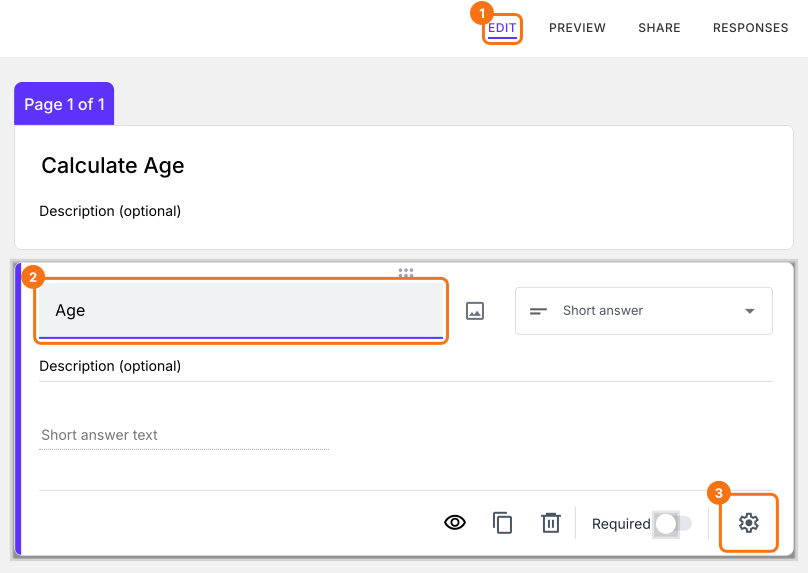
Field settings screen will be displayed. Select the "Answer" tab and write the formula to calculate the age.
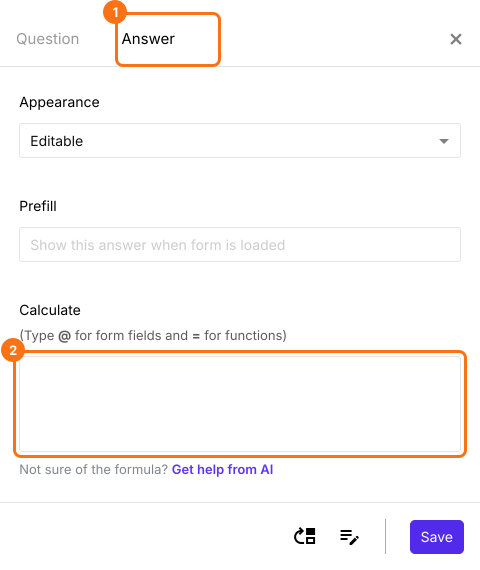
Use DIFF and TODAY function to calculate age
Diff function calculates the number of seconds, minutes, hours, days, months or years between two date or date & time questions. Since we want to calculate the age, we will use years as the unit.
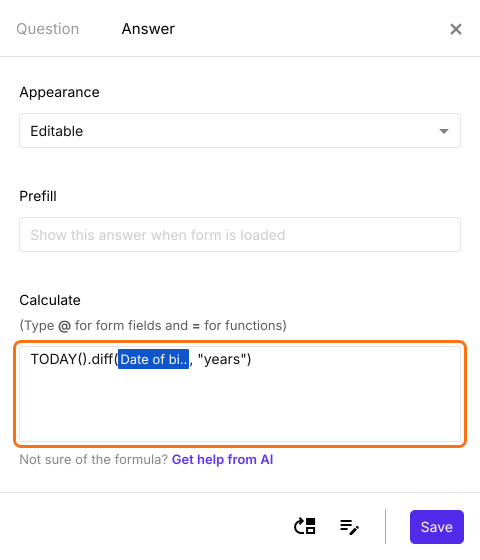
TODAY().diff(date_of_birth, "years")
Note: To enter date_of_birth, type @ in the calculate option and select the date of birth question from the list. If no list appears on your form, make your form here instead: name it, click Create form and click Proceed, close the Assign points dialog and add these questions. The @ list opens on a form made there.
Write the formula in the Calculate option for age question as shown below. Click Save.
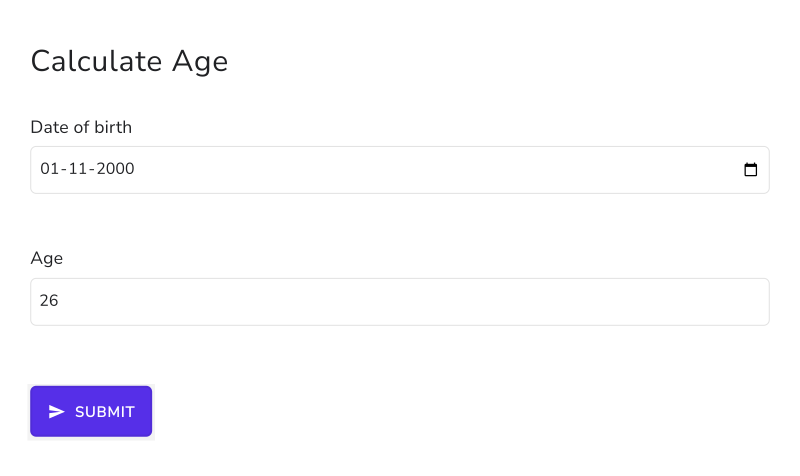
As soon as the user enters the date of birth, the form shows the age. Until then, the age shows a wrong number such as 56, because an empty date counts from 1970.
Summary
If you need the age from a date of birth, Google Forms cannot calculate it. With Formfacade, you can write the TODAY and DIFF formula in the Calculate option and the age will be displayed as soon as the user enters the date of birth. Create your form and complete the steps above. If you have any questions, write to support.
Last updated: