How to embed Google Forms in your React app without an iframe?
React developers who want a Google Form in their app get an iframe from Google's embed code: a page inside the page, with Google's look and its own scroll bar, that your app's styles can't reach. With Formfacade's embed package, @formfacade/embed-react, the form renders as a component in your app, without an iframe. You keep editing the questions in the form editor, so changing a question doesn't mean changing your code, and the responses are collected in your Google Form.
Follow the steps below. The last one needs a Formfacade form, so import your Google Form if you don't have one yet.
Pre-requisites
Create a React app
Install Formfacade/embed-react
Embed Google Forms in React app
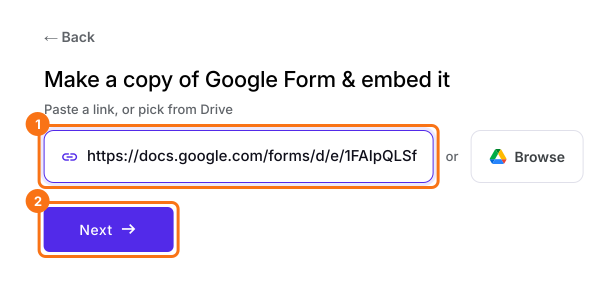
- On the page that opens, paste your Google Form's link or click Browse to pick it, then click Next. Your form opens on the Share tab.
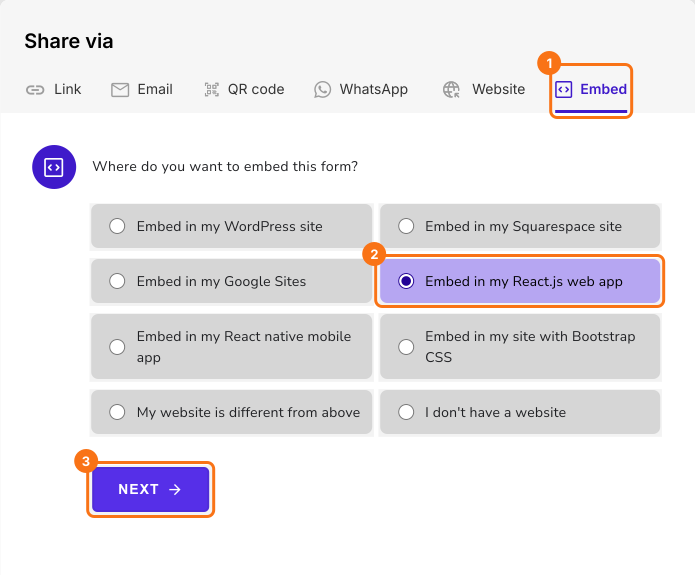
- On the Share tab, under Where do you want to embed this form?, select Embed in my React.js web app and click Next.
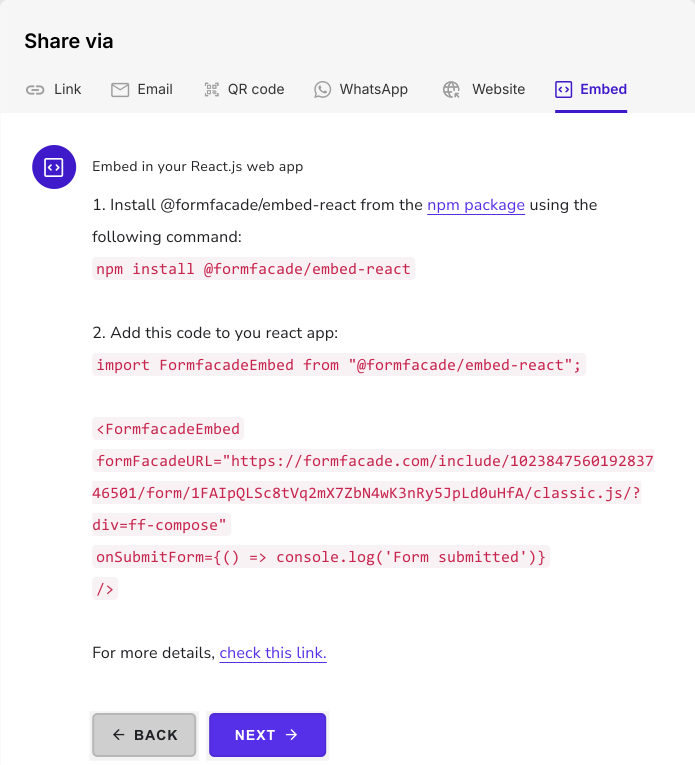
- Include the import statement below to import the Formfacade Embed component in your React app: import FormfacadeEmbed from "@formfacade/embed-react";
- Add the Formfacade Embed code in your react app: <FormfacadeEmbed formFacadeURL="https://formfacade.com/.../classic.js/?div=ff-compose" onSubmitForm={() => console.log('Form submitted')} />
- Copy this code from the Embed tab, as it has your form's url in place of the dots.
Summary
Render your Google Form as a component in your React app.
Import your Google Form, choose Embed in my React.js web app and add the FormfacadeEmbed component, so your form shows without an iframe.